
Case Studies, Samples & Templates
Mechapoint Tolerance Stackup Excel Template V1
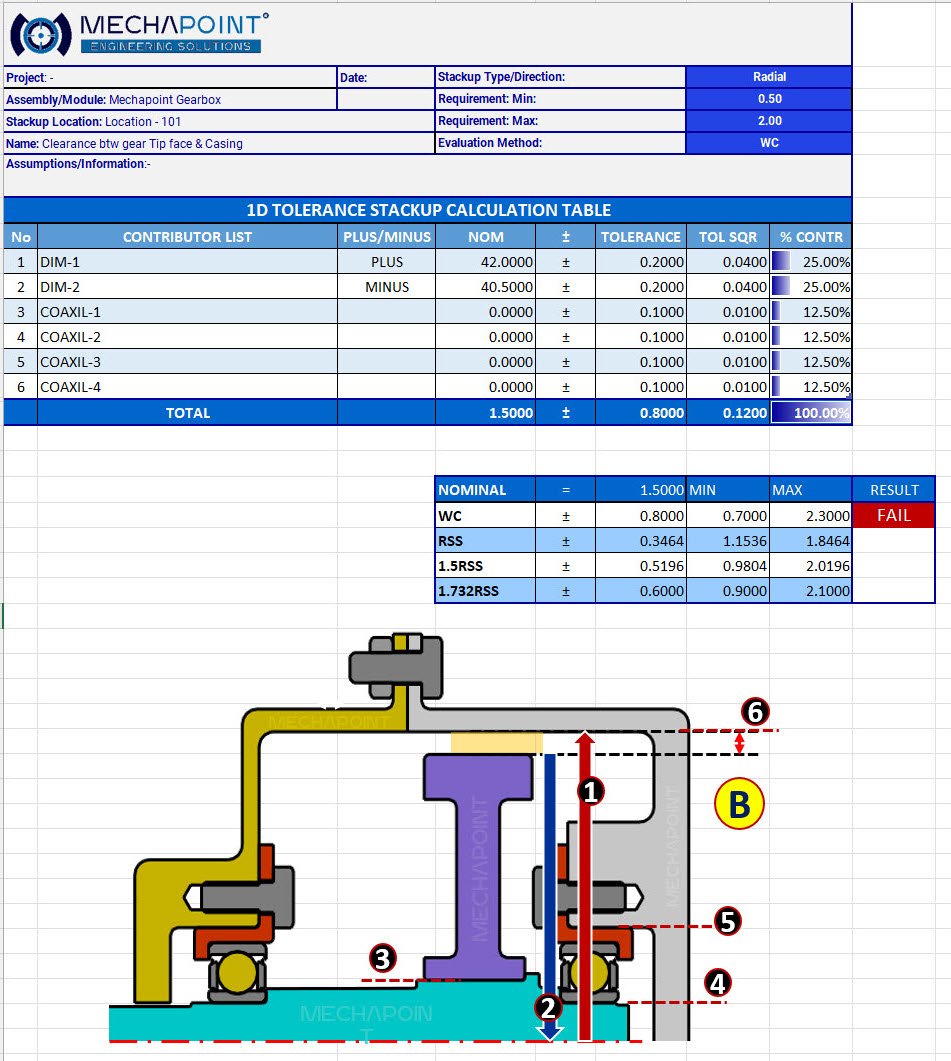
Download and utilize the tolerance stackup template developed by Mechapoint. This tool provides calculations for multiple stackup components using Arithmetic (Worst-Case), RSS, and 1.5 RSS methods.
Note: Tolerances must be entered as bilateral symmetric. Any initial unilateral or asymmetric tolerances must be converted to an adjusted nominal value with corresponding symmetric tolerances before input.The contribution of each individual stackup component to the total result is also visualized through percentage bars.
Interactive 3D MBD Drawing: MCH04222026 – Flange
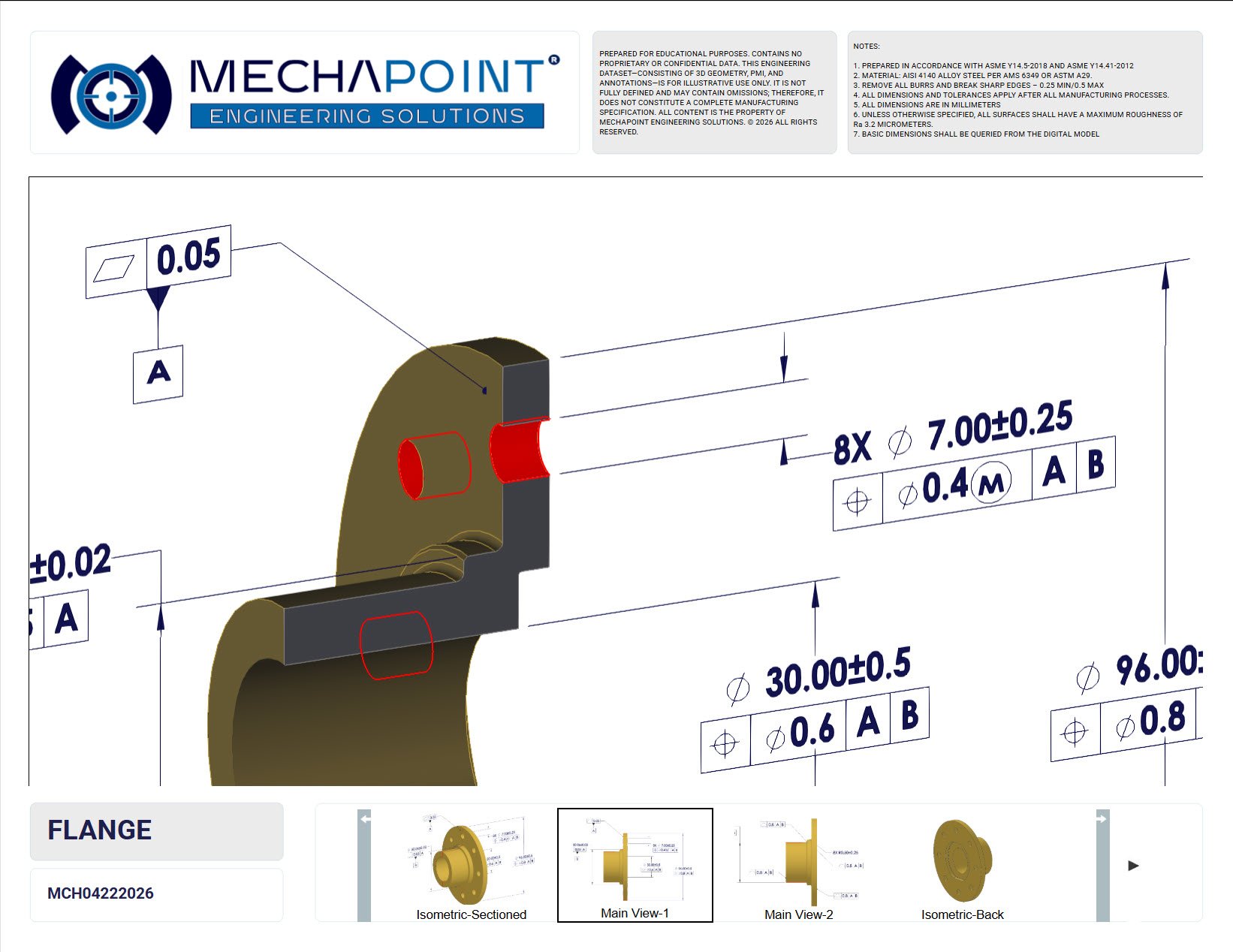
Explore the MCH04222026 – Flange component’s live 3D MBD drawing prepared by Mechapoint. Rotate the model, click PMI annotations, and inspect GD&T callouts directly in your browser.
Note: This is a sample MBD Drawing created by Mechapoint to demonstrate browser-based 3D model viewing. No software, plugin, or download is required. All PMI data including datums, tolerances, and geometric controls are embedded and fully interactive.
3D-PDF Sample MBD/PMI Engineering Drawing

Download and examine the 3D PDF technical drawings prepared by Mechapoint to interactively review datums and fundamental geometric controls.
Note: To ensure full functionality and enable semantic highlighting of surfaces associated with selected PMI, please configure the following Adobe Acrobat settings:
Preferences > JavaScript: Enable Acrobat JavaScript
Preferences > Multimedia & 3D: Preferred Renderer > DirectX
Engineering drawings are now in Mechapoint Lab
Our GD&T engineering drawing samples and interactive drawings are in Mechapoint Lab, where you can view them full screen.
